

One set of free times
Patients online and the desk on the phone book into the same free times, so nobody is double-booked.
Front desk / Online booking
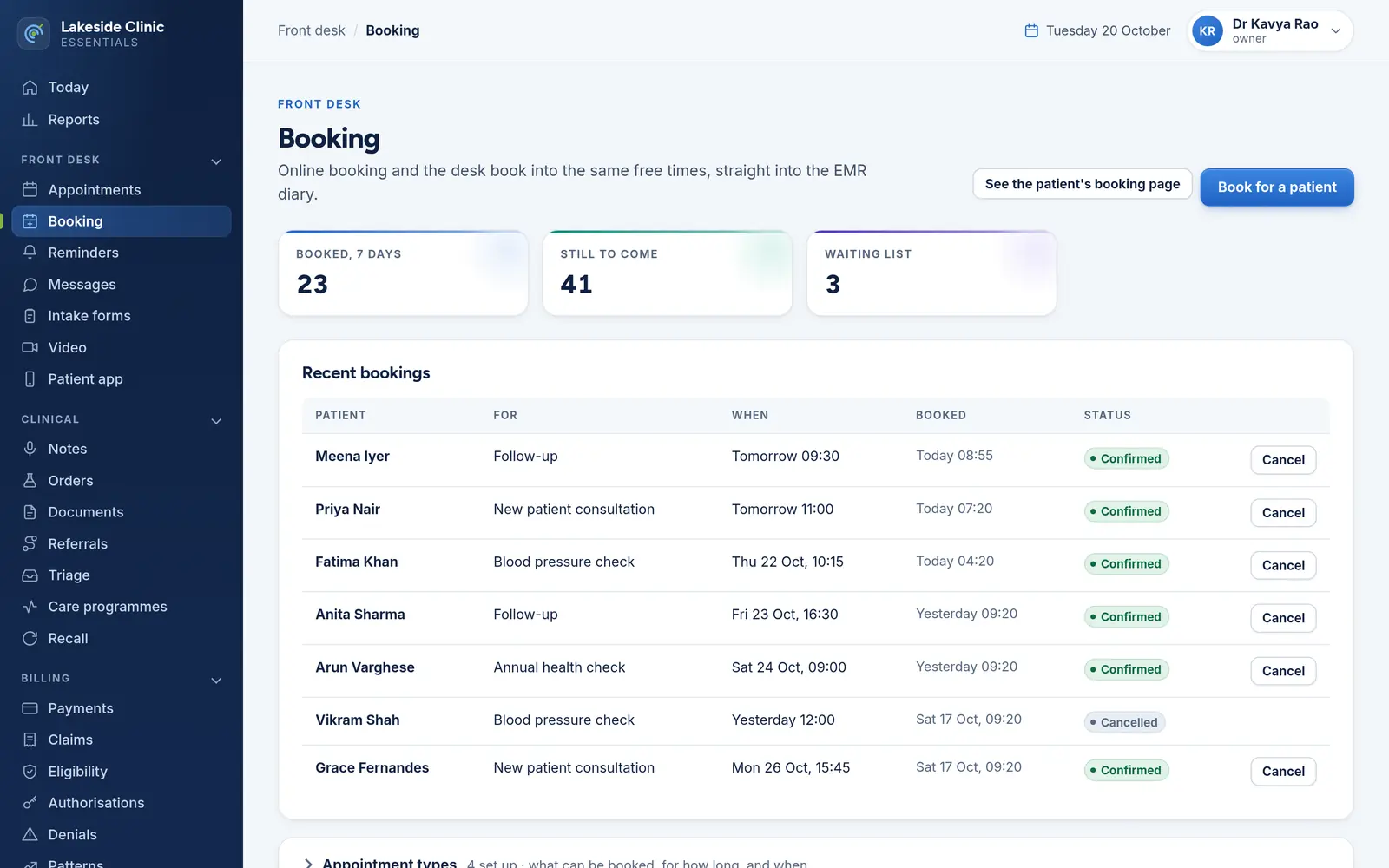
Self-booking against the same free times the front desk sees, written into the EMR rather than kept in a second diary. A waiting list offers cancelled times to whoever asked first.
What it does
Patients online and the desk on the phone book into the same free times, so nobody is double-booked.
A booking is written into the EMR’s own diary, not kept as a second list the desk has to reconcile.
Each type has a length, the least notice needed, how far ahead it can be booked, and whether new patients may book it.
When a booked time is cancelled, it is offered to the waiting list; the patient accepts or declines from a link.
Cancelling here cancels in the EMR too, and the time goes back to the waiting list.
How it works
What can be booked, for how long and how far ahead.
From the booking page, with no account — or the desk books for them.
The appointment lands in the EMR, and the reminder is planned.
What it needs
Every module switches on and off by itself, per clinic, with its own screens, permissions and audit trail.
Worth knowing
It books into the EMR rather than keeping a diary of its own, so it needs the EMR connection. Against OpenEMR, a reschedule is a cancel and a new booking, because OpenEMR’s API cannot change an appointment.
The demo runs every module against an unmodified OpenEMR, with invented patients. Nothing to install and no sales call.


