

Three engines
Open Integration Engine, BridgeLink, and Mirth Connect’s open-source releases up to 4.5. Each engine’s agent reports over a signed connection, with a secret shown once and stored only as a hash.
Connections / Integration engines
Monitoring for HL7 interface engines, whether we run them or you do. A feed that goes quiet raises an alert, alerts fire once and resolve themselves, and nobody finds out from a clinician asking where the results went.
What it does
Open Integration Engine, BridgeLink, and Mirth Connect’s open-source releases up to 4.5. Each engine’s agent reports over a signed connection, with a secret shown once and stored only as a hash.
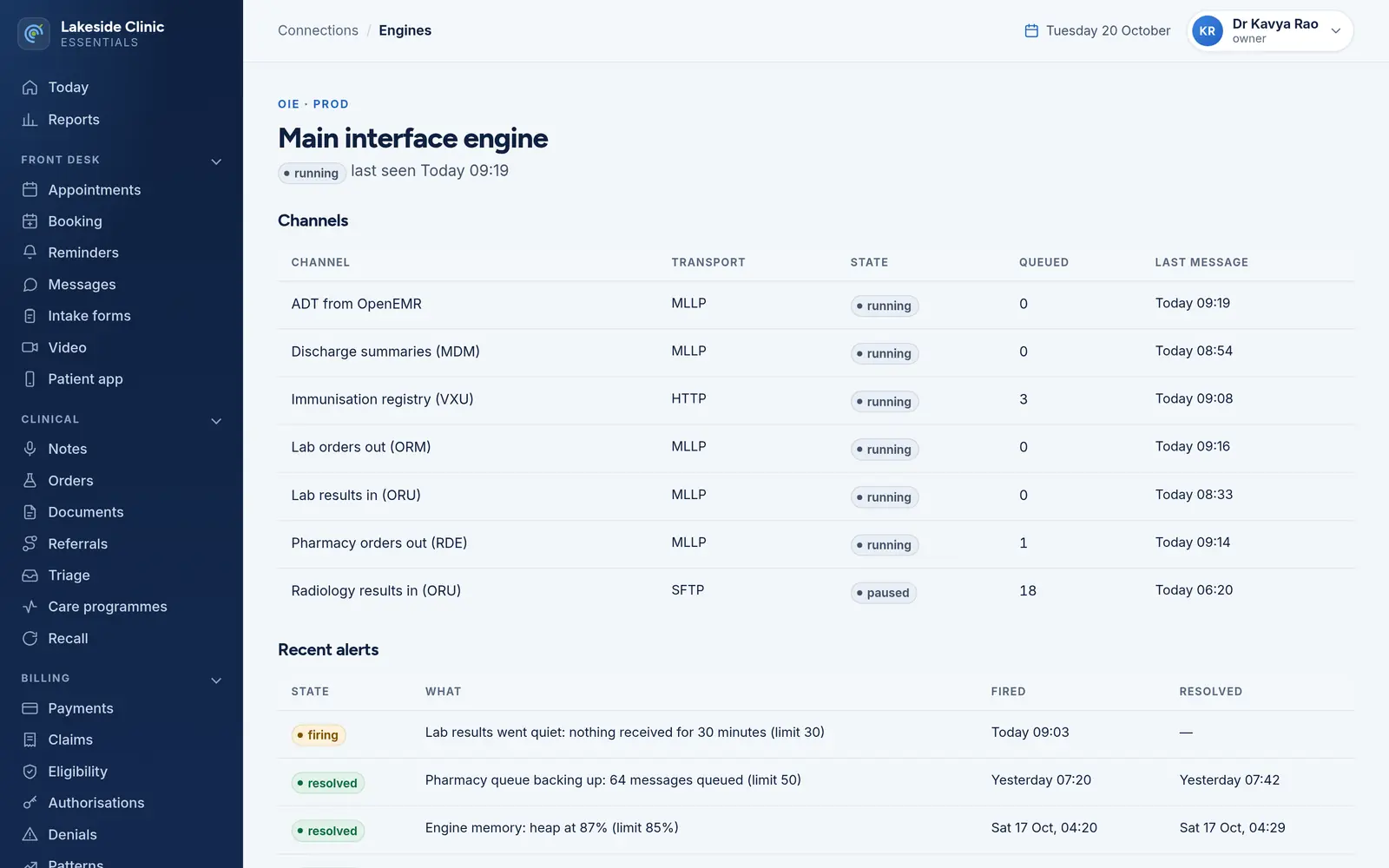
State, transport, queued messages and the time of the last message, with received, sent and errored counts per interval. A counter going backwards is read as a restart, not a miracle.
Rules on queue depth, feed silence, error rate or engine memory. A hold time keeps a brief spike from paging anybody; silence alerts as soon as its limit is reached.
An alert fires once and resolves itself when the reading recovers, with one email each way to the people named.
Optional, at an unguessable address, with channel names hidden unless you choose otherwise — and never any patient or message content.
Each change to a channel’s exported configuration becomes a numbered version, reported by the agent or uploaded by hand; an export identical to the last is not recorded again.
An engine marked monitor-only cannot be changed or removed from here; removing a managed one needs a reason and the engine’s name typed out.
How it works
Add the engine and install its reporting agent.
What “too quiet” and “too slow” mean for each channel.
One email when an alert fires, and one when it resolves.
What it needs
Every module switches on and off by itself, per clinic, with its own screens, permissions and audit trail.
Worth knowing
Mirth Connect 4.6 and later are commercially licensed and cannot be hosted here; an engine you run yourself can still be monitored. Channel versions are recorded and promoted here, but a promotion is a record of what runs where — the change itself is applied in the engine.
The demo runs every module against an unmodified OpenEMR, with invented patients. Nothing to install and no sales call.


