

Installed from the browser
Add to Home Screen in Safari, or Install app in Chrome, and it opens straight to today. No app store, nothing to download, and every update arrives at once.
Practice / Clinician app
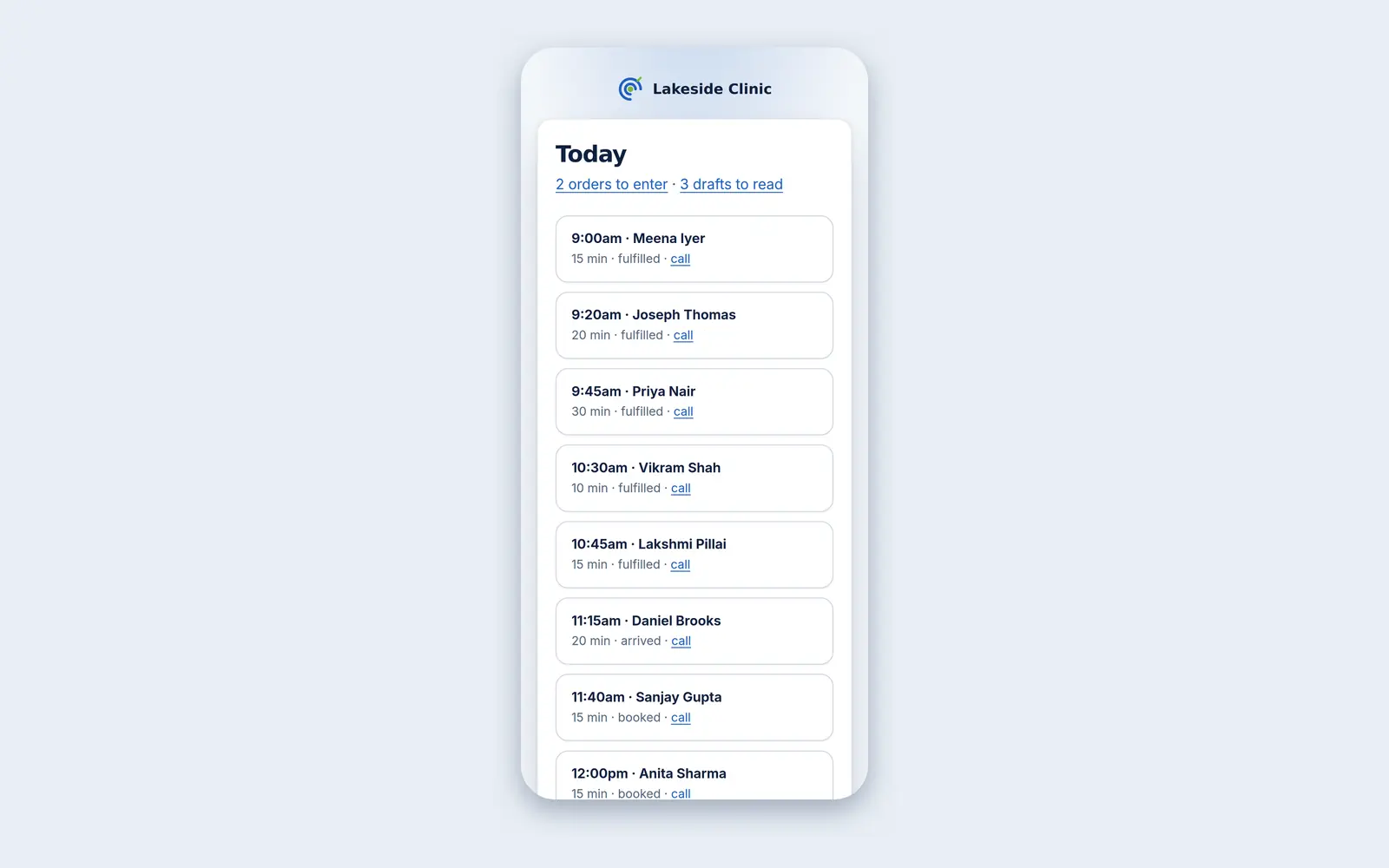
An app installed from the browser: today’s appointments, who is next, and the things most likely to be waiting — orders to enter by hand and draft notes to read. An update reaches every phone the moment it ships.
What it does
Add to Home Screen in Safari, or Install app in Chrome, and it opens straight to today. No app store, nothing to download, and every update arrives at once.
In the practice’s time zone, each with its length and status and a tap-to-call link when there is a number; cancelled visits are left out.
How many orders need entering by hand and how many draft notes need reading, each a tap away.
It runs in the normal staff session, with the same timeout, and is kept apart from the patient app.
Only the stylesheet is cached — never the patient list.
How it works
The same address as the practice’s Essentials.
Once; it then opens like an app.
Who is next, and what is waiting.
What it needs
Every module switches on and off by itself, per clinic, with its own screens, permissions and audit trail.
Worth knowing
It is a read-only list for between patients, not the whole product on a small screen, and it shows the whole practice’s day rather than only your own.
The demo runs every module against an unmodified OpenEMR, with invented patients. Nothing to install and no sales call.


