

A working copy, not a second record
Patients, appointments, clinicians and locations, sent in by the Bridge. Each delivery is applied once even if it arrives twice, and identifying details are encrypted on arrival with the practice’s own key.
Connections / EMR connection
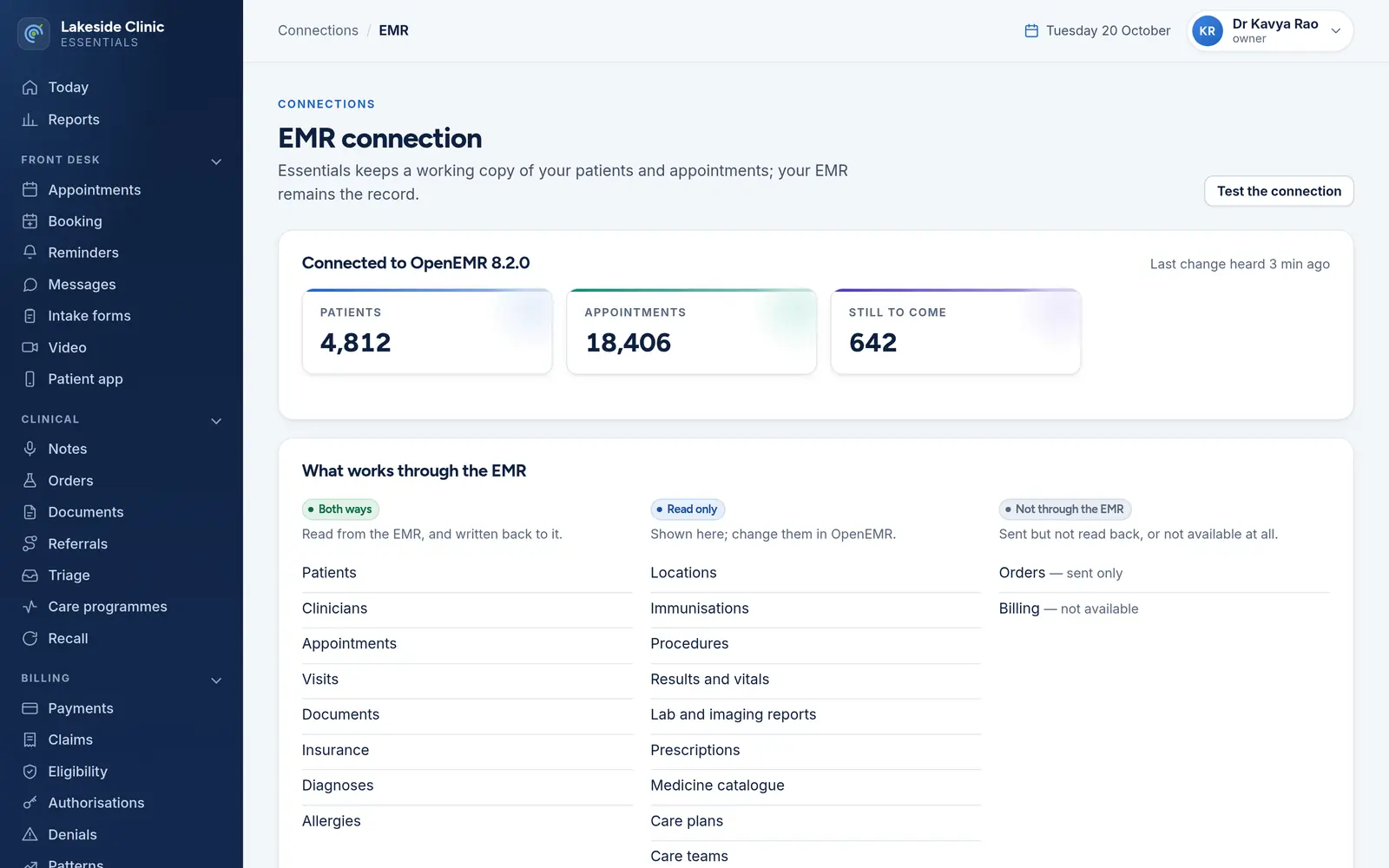
Keeps a working copy of the parts of the record the modules need — patients, appointments, clinicians — through the Bridge, which talks to OpenEMR or another EMR’s API. The EMR stays the record; this is a cache with an audit trail.
What it does
Patients, appointments, clinicians and locations, sent in by the Bridge. Each delivery is applied once even if it arrives twice, and identifying details are encrypted on arrival with the practice’s own key.
Reminders and booking run from the copy rather than calling the EMR for every appointment, so maintenance at the EMR does not stop them.
Counts of what is held and when the last change arrived; if nothing has arrived for over a day, the panel is flagged.
Every record type listed as “both ways”, “read only” or “not through the EMR”, from what the Bridge declares — with the missing operations and why.
EMR credentials live in the separate Bridge console, never in the workspace. “Test the connection” asks the Bridge to check the link.
How it works
An API credential for your EMR, entered in the Bridge console.
The Bridge declares what that EMR allows, per record type and operation.
Changes arrive continuously; every module works from them.
What it needs
Every module switches on and off by itself, per clinic, with its own screens, permissions and audit trail.
Worth knowing
The EMR stays the record; this is a cache with an audit trail. For OpenEMR, appointments can be booked and cancelled but not moved, and there is no billing API — the map says so rather than hiding it.
The demo runs every module against an unmodified OpenEMR, with invented patients. Nothing to install and no sales call.


