

A survey before anything moves
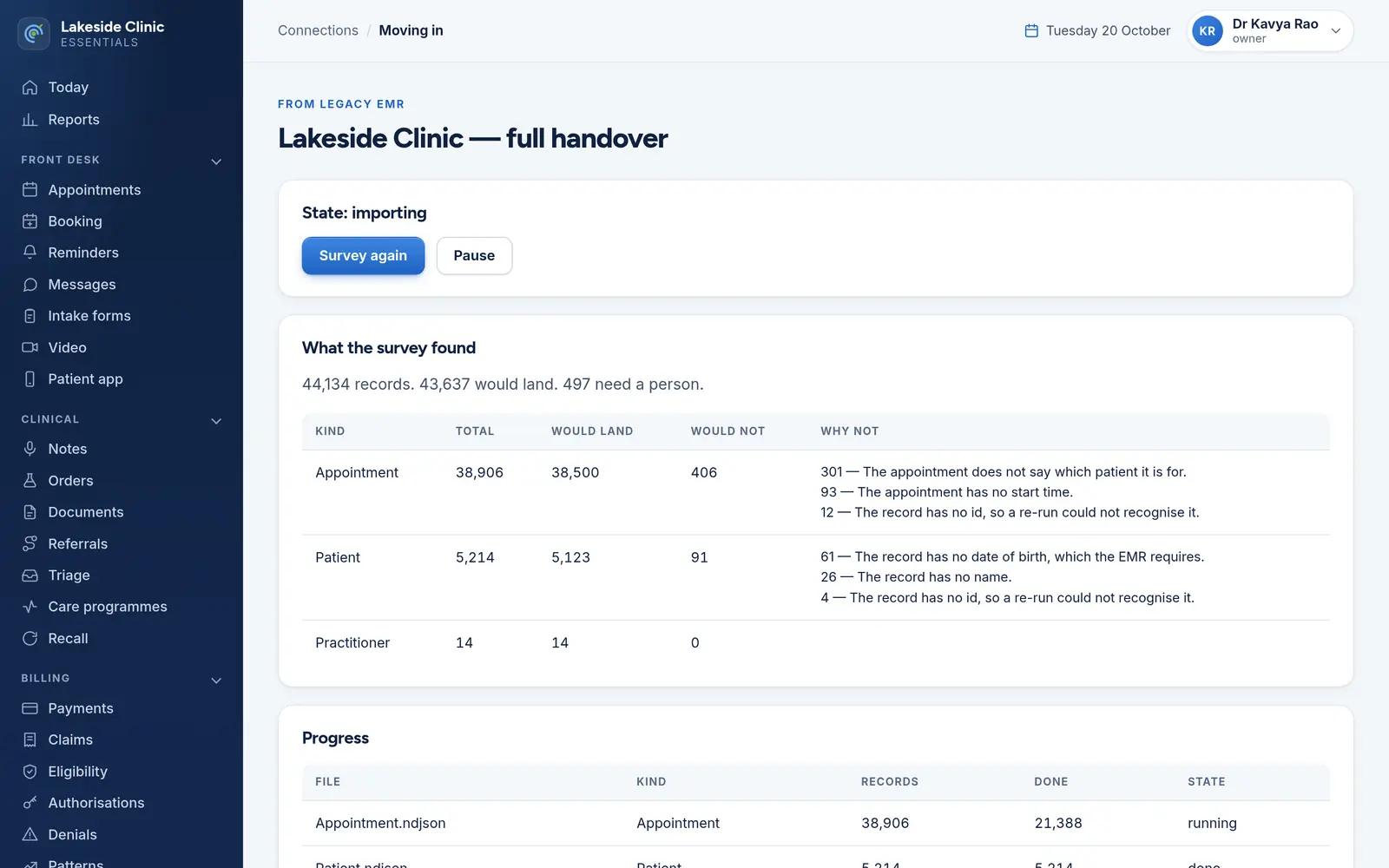
A directory of FHIR bulk-export files is read in full and nothing is written: per record type, how many would land and why the rest would not, most common reason first.
Connections / Moving in and out
An import is read and counted in full before anything is written, because it is the one operation that cannot be undone. The other half is a complete, decrypted export in a format anyone can read — so “no lock-in” is a fact rather than a promise.
What it does
A directory of FHIR bulk-export files is read in full and nothing is written: per record type, how many would land and why the rest would not, most common reason first.
Importing starts only from a survey, runs in batches, pauses and carries on where it stopped. It is keyed on the old system’s own IDs, so re-running never duplicates a chart.
A record without a name or date of birth, or an appointment without a patient, goes on a “needs a person” list, grouped by reason.
One export of every patient, appointment and clinician, decrypted, one record per line, under its own permission — deleted once downloaded or after 48 hours.
One patient’s full record as FHIR, requested by staff or by the patient from their app, also deleted after 48 hours.
How it works
The old system’s FHIR bulk export, on the server.
What would land, what would not, and why.
In batches you can pause — or, leaving, export everything.
What it needs
Every module switches on and off by itself, per clinic, with its own screens, permissions and audit trail.
Worth knowing
Imports bring patients, clinicians and appointments into Essentials’ working copy; diagnoses and allergies are counted and named but not moved, and nothing is pushed on into OpenEMR yet. Files are read from the server, not uploaded through the page.
The demo runs every module against an unmodified OpenEMR, with invented patients. Nothing to install and no sales call.


