Developer docs Security & compliance Live demo
Try the demo

ONEemr

A medical record people are willing to look at all day.

ONEemr is our own EMR, and it runs on the database OpenEMR already uses — the same patients, the same encounters, the same history. Put it in front of your staff on a Monday and stock OpenEMR still opens the same charts on the Tuesday. Nothing is migrated, because nothing moves.

Same database, no migration Reversible at any time OpenEMR’s own permissions and audit log
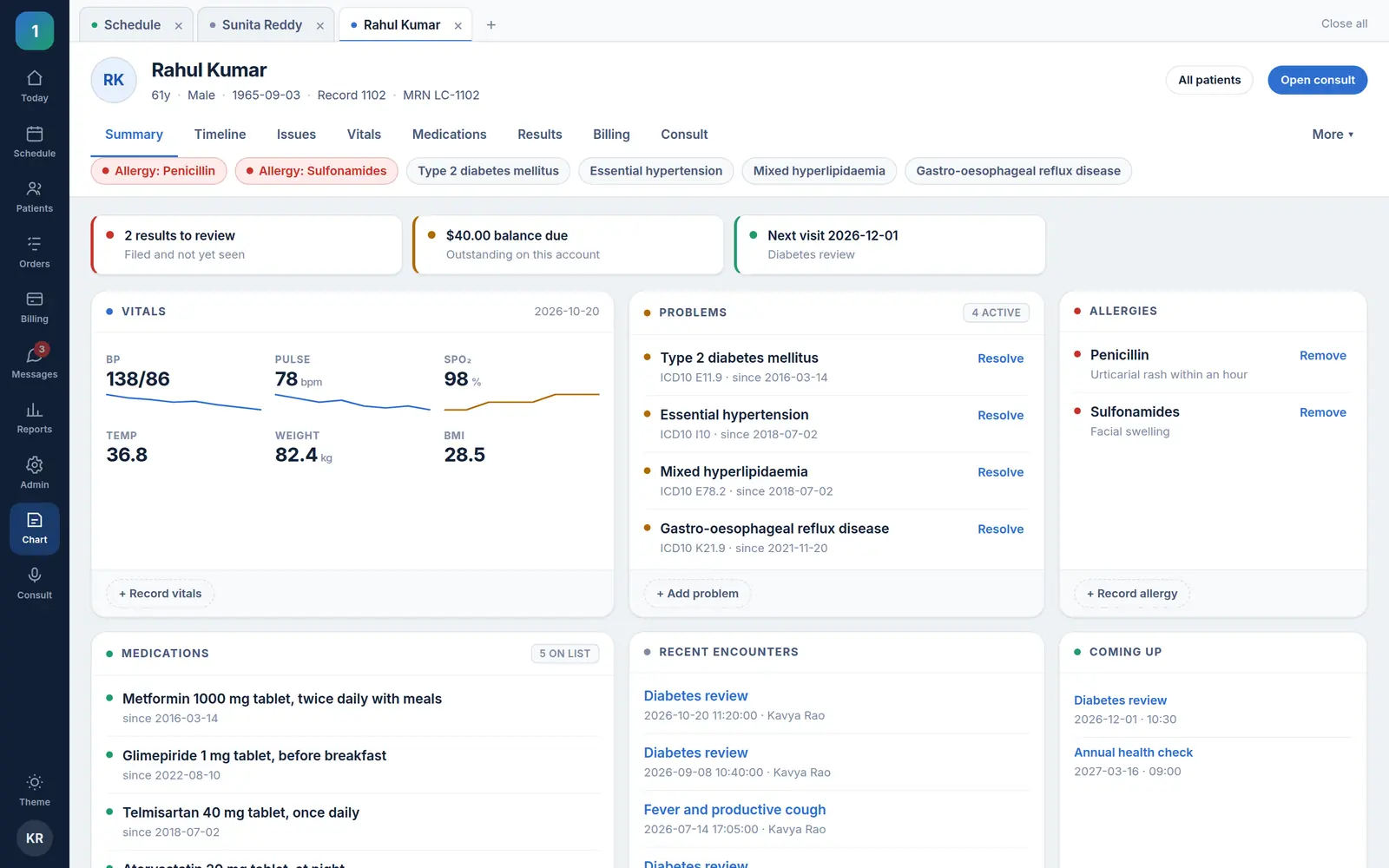
ONEemr chart summary for Rahul Kumar, 61: allergy and problem chips under his name, a short worklist, then vitals with trend lines, ICD-10-coded problems, allergies, medications, recent encounters and upcoming appointments.
The whole patient on one page — safety alerts first, then vitals, problems, medicines and visits. Shown with sample data.

The promise

Switching is a decision you can take back

Every EMR migration story is the same: a quote, a year, a data-mapping exercise, and a practice that cannot go back once it starts. That is not a technology problem. It is what happens when each vendor keeps records in a shape only they can read.

One database, two front ends

ONEemr writes the OpenEMR schema directly — patient_data, lists, form_vitals, the calendar — the tables that are already there. Both applications can be open at once, on the same patient.
Reversible on purpose

There is no export step to go back to stock OpenEMR, because there was no import step to begin with. If ONEemr is not for you, stop using it. Your records never left.

Your certification is untouched

The certified OpenEMR install stays exactly as shipped. ONEemr is a second application against the same data, not a patch — so nothing about the listing changes.

The screens

Designed for the twelfth hour of a shift

The screens used a hundred times a day are the ones that got the attention. Each one below is the real interface, shown with sample data.

Schedule

The day, one column per clinician

  • Read straight from OpenEMR’s calendar, with its own clinic hours, slot size and status colours.
  • Day, week and month, a flow board, and provider and facility filters.
  • Click an empty slot to book; check-in, rooms and status changes go to OpenEMR’s own flow-board tables.
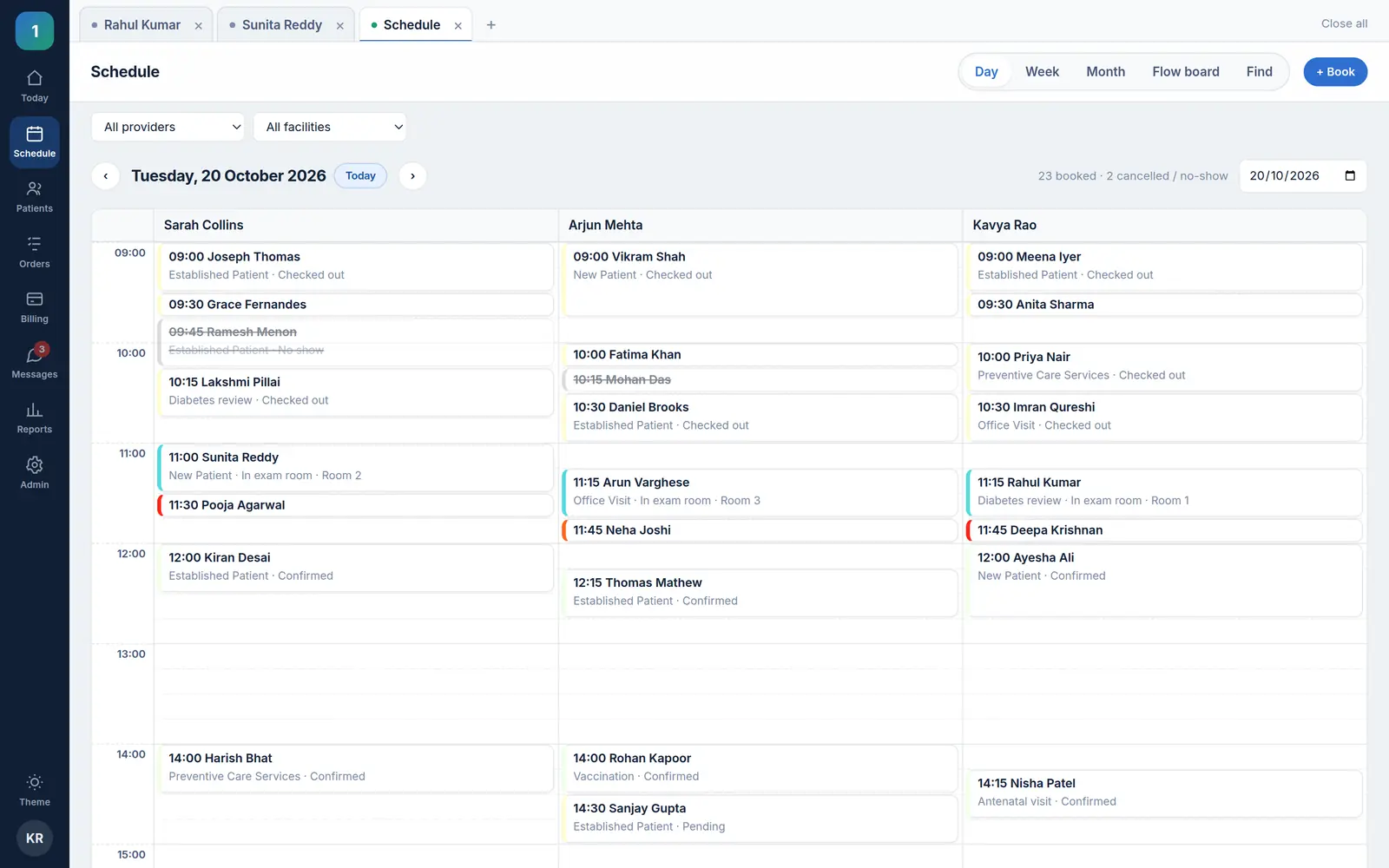
ONEemr’s day schedule with one column per clinician; each appointment block is sized by its length and shows checked out, in exam room with a room number, arrived, confirmed or pending, with cancelled and no-show visits struck through.

Chart

The whole patient on one page, safety first

  • Allergy and problem chips on every chart page — and “no allergies recorded” is never shown as “none”.
  • Vitals with trend lines, coded problems, medications, encounters and appointments together.
  • Problems, allergies and vitals added in place. Resolving marks an entry inactive with an end date; nothing is deleted.
ONEemr chart summary for Rahul Kumar, 61: allergy and problem chips under his name, a short worklist, then vitals with trend lines, ICD-10-coded problems, allergies, medications, recent encounters and upcoming appointments.

Consult

The note, beside the facts that matter

  • Allergies, problems, medications and last vitals alongside a SOAP note.
  • Saved into OpenEMR’s own encounter and SOAP form — the encounter is opened for you if there is not one yet.
  • Saving again updates the note rather than filing a duplicate.
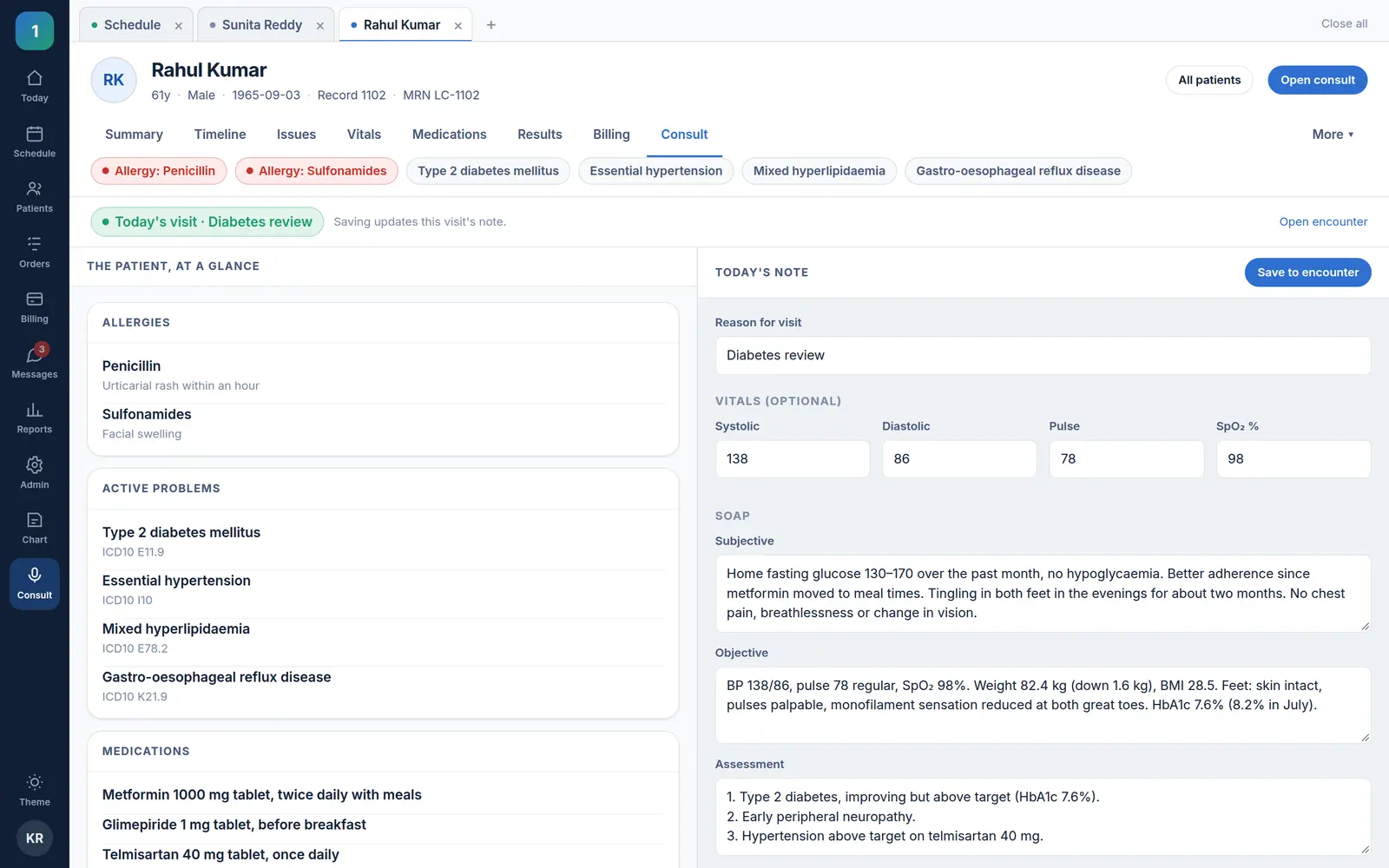
ONEemr consult screen during a diabetes review: allergies, active problems and medications on the left; the reason for visit, today’s vitals and a SOAP note being written on the right.

Patients

Anyone, from one search box

  • Name, MRN or phone number, in any order — and ⌘K or Ctrl-K reaches the box from any screen.
  • Registration checks for likely duplicates before it creates anybody.
  • Light and dark themes, and one responsive layout from a phone to a desk monitor.
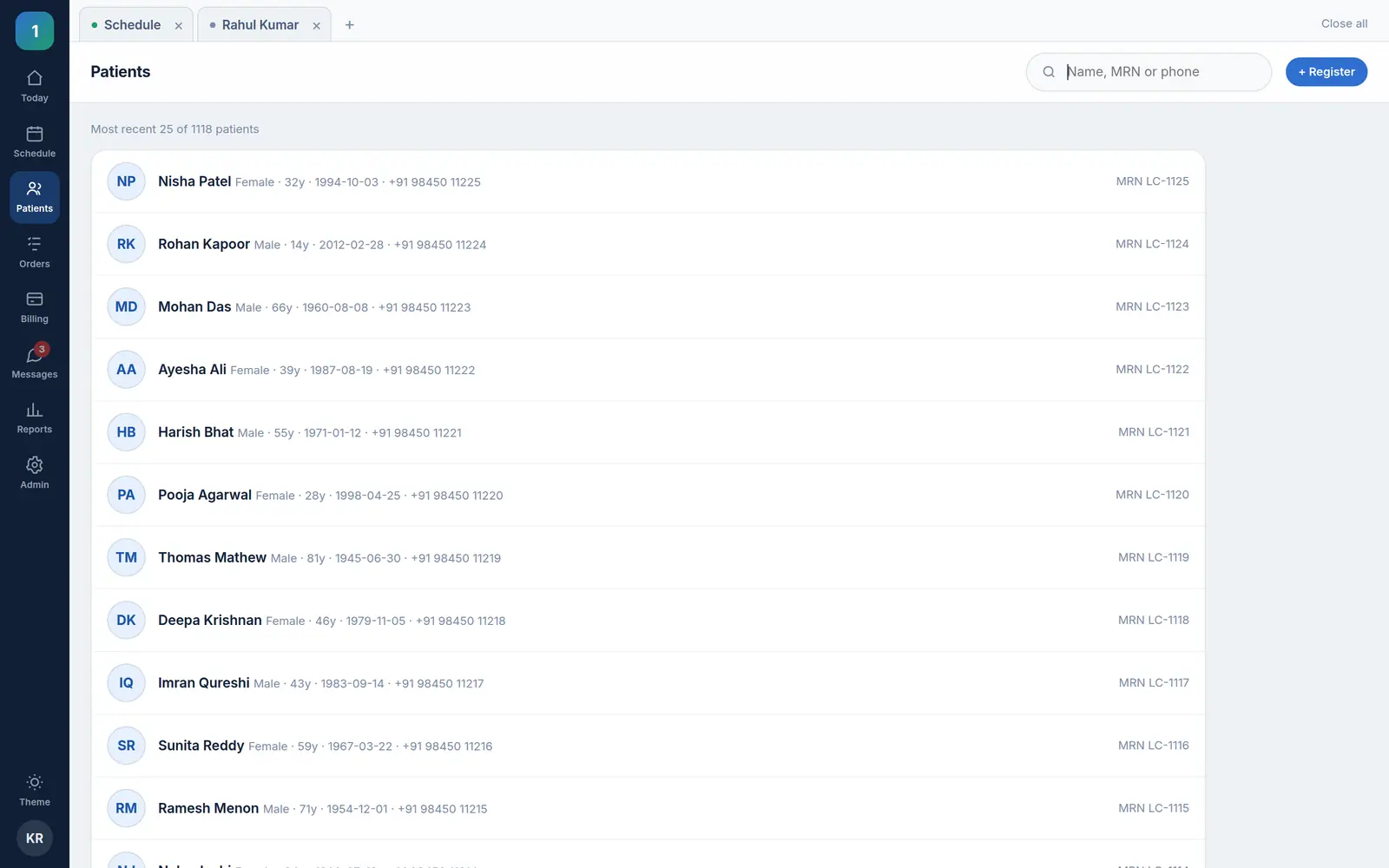
ONEemr patient list of recently registered patients with sex, age, date of birth, mobile number and MRN, under one search box for name, MRN or phone.

Under the hood

OpenEMR’s rules, applied by a newer interface

ONEemr uses OpenEMR’s permissions and OpenEMR’s audit log rather than inventing its own. A user signs in with their OpenEMR account; a form their OpenEMR role cannot change is shown read-only; and opening a chart writes the same “record viewed” entry OpenEMR would.

Clinical reminders come from OpenEMR’s own rules engine, run as it is. Where OpenEMR already has an answer, ONEemr asks it rather than writing a second one.

Where things are written

  • Appointments — OpenEMR’s calendar
  • Problems, allergies, medications — lists
  • Vitals — form_vitals, under the encounter
  • Notes — OpenEMR’s SOAP form
  • Check-in and rooms — the flow-board tables

Which is why going back is free: stock OpenEMR reads every one of them.

Around it

Add the modules when you want them

The work around the record — reminders, booking, claims, denials, notes — is Essentials. It runs beside ONEemr and reaches the same patients through the Bridge, so it works the same whichever screen your staff use.

Bring your OpenEMR database. Keep it.

The fastest way to judge this is to point it at a copy of your own data and open a chart you already know.