

PDFs, images and text
The file type is checked from the file itself, and a document already received is not stored twice.
Clinical / Document inbox
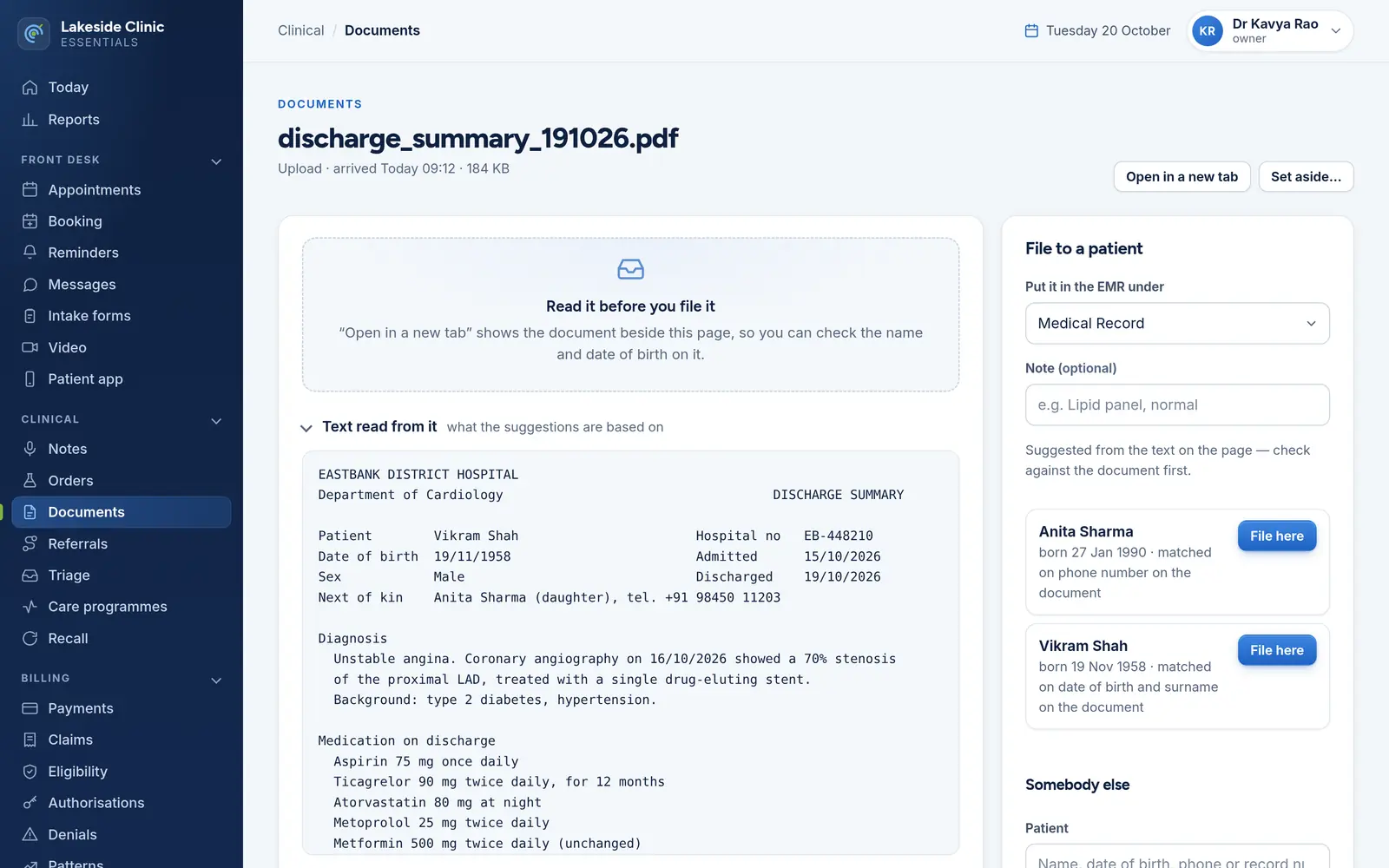
Results and letters arrive, their text is read, and the patients they might belong to are suggested with the reason for each. A person files every one — and the filed document goes into the patient’s chart in the EMR.
What it does
The file type is checked from the file itself, and a document already received is not stored twice.
Text in PDFs is read on the server, with no outside service, and up to five patients are suggested — each with its reason, such as a phone number matched exactly or a date of birth backed by the surname.
A result in the wrong chart is a safety incident, so a person files every document.
With OpenEMR connected, filing puts the document in the patient’s Documents under the folder chosen — Medical Record, Lab Report or Patient Information — with the reason and a retry if it does not arrive.
Anything not for the practice is set aside with a reason, and every download is permission-checked and audited.
How it works
Uploaded at the desk, or received from a fax service.
Its text is read and the likely patients proposed, with reasons.
A person confirms the patient and the folder, and it goes to the chart.
What it needs
Every module switches on and off by itself, per clinic, with its own screens, permissions and audit trail.
Worth knowing
Scanned images are not read — there is no OCR — so faxes saved as pictures arrive with no suggestion and a person chooses the patient. Files over 5 MB are uploaded to the EMR by hand.
The demo runs every module against an unmodified OpenEMR, with invented patients. Nothing to install and no sales call.


